Archive Entry
Shulker Box Blacklister
WBSwhitelister-box-sortersWBS001Updated Dec 18, 2025Archived Dec 18, 2025
✅Functional⭐Recommended
Authors: RaPsCaLLioN1138
 Glotz
Glotz Christone
RaPsCaLLioN1138GlotzChristoneEndorsed by: Andrews54757
Andrews54757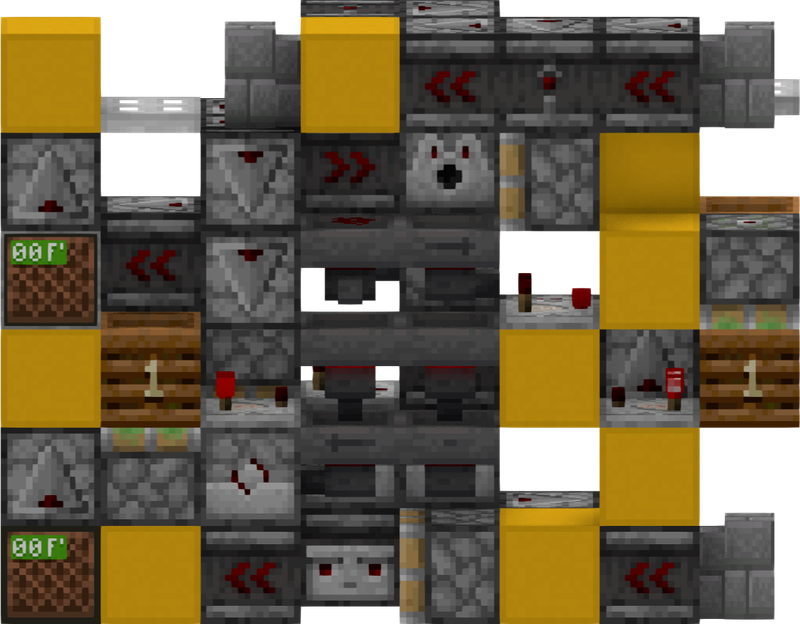
Each slice uses a static filter to check if the box contains the item set in the filter. If so, then the box will be rejected, otherwise the box moves to the next slice.
Features
- 2x6x8 (single slice)
- true 2-wide tileable
- Input boxes at hopper speed: 8gt
Instructions
First, set up filters by putting 18 items of the item you want to filter in the hopper below the box dispensing area. The rest of the slots should be filled with one 64-stackable blocker item each. Do this for all of your slices. Then, you can insert boxes to sort into the hopper feeding the dropper/dispenser (read by a comparator) by using another hopper to push items inside of it.
Attachments
Litematic · LITEMATIC
WBS001_8gt_2wt_box_blacklister.litematic
WBS001_8gt_2wt_box_blacklister.litematic
- Version: 1.20.1
- Size: 8x6x2